Error codes
When sync fails, KnotCMS shows an error banner with the code and a short fix hint — on the project page or during setup.
Error reference
Section titled “Error reference”| Code | Meaning | Fix |
|---|---|---|
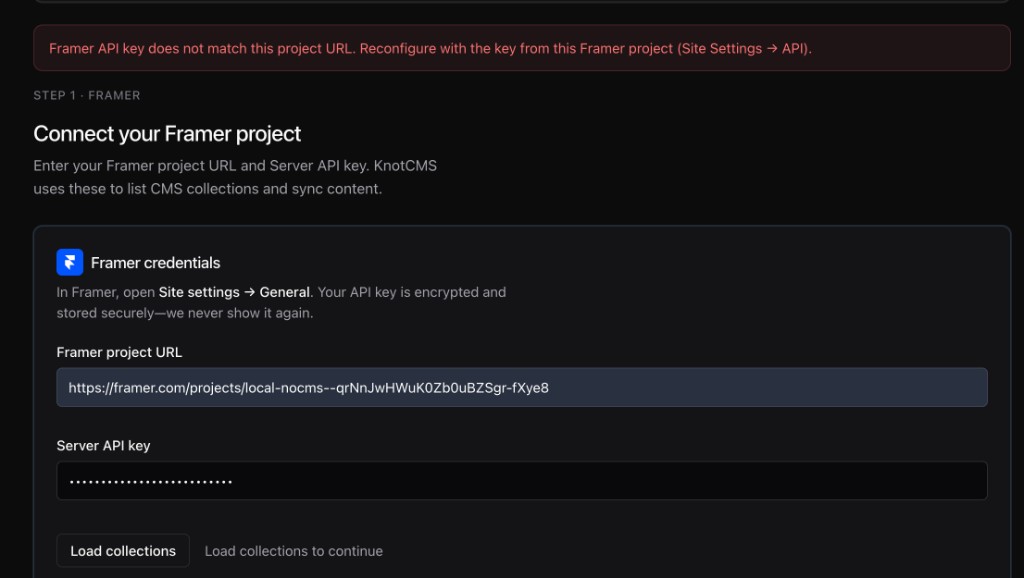
FRAMER_UNAUTHORIZED | API key does not match project URL | Create a key under Site settings → API Keys for this project, then reconfigure |
FRAMER_COLLECTION | The Framer CMS collection could not be opened or created | Check the collection still exists in Framer, then reconfigure |
FRAMER_DUPLICATE_ITEM | Item id/slug already exists in CMS | Ensure unique slugs in Notion |
FRAMER_FIELD_MISMATCH | Framer collection fields changed vs stored mapping | Reconfigure or delete/recreate collection |
FRAMER_ASSET | Framer could not fetch one or more images | The sync still completes without those images. Host the files somewhere that allows hotlinking and map the URL — see Supported field types |
SLUG_COLLISION | Two Notion pages map to the same slug | Fix slug column in Notion |
NOTION_API | Notion refused the request | Reconnect Notion, and check the connection still has access to the database. Repeated failures pause auto-sync — see Auto-sync paused |
SYNC_IN_PROGRESS | Another sync is running | Wait and retry |
SECRETS_MISSING | Stored credentials are missing for this project | Reconfigure and save your API key again |
PROJECT_NOT_FOUND | The project no longer exists | Run setup again for this source |
PLAN_LIMIT | A plan limit was reached — on Basic, usually the 10 lifetime syncs | Upgrade your plan to continue. Automatic syncing resumes within a minute |
LICENSE_INACTIVE | Subscription inactive | Renew in billing portal |
A publish that fails is reported separately from these codes — see Auto-publish.
Still stuck?
Section titled “Still stuck?”Contact support with your Google account email and project URL.