
Auto-publish
On paid plans, KnotCMS can call Framer’s publish API after a successful sync — either deploy to live or preview only.
Enable auto-publish
Section titled “Enable auto-publish”Turn on After each sync, publish the site in either place:
- During project creation: on step 4 · Automation, after field mapping.
- For an existing project: on its Settings tab.
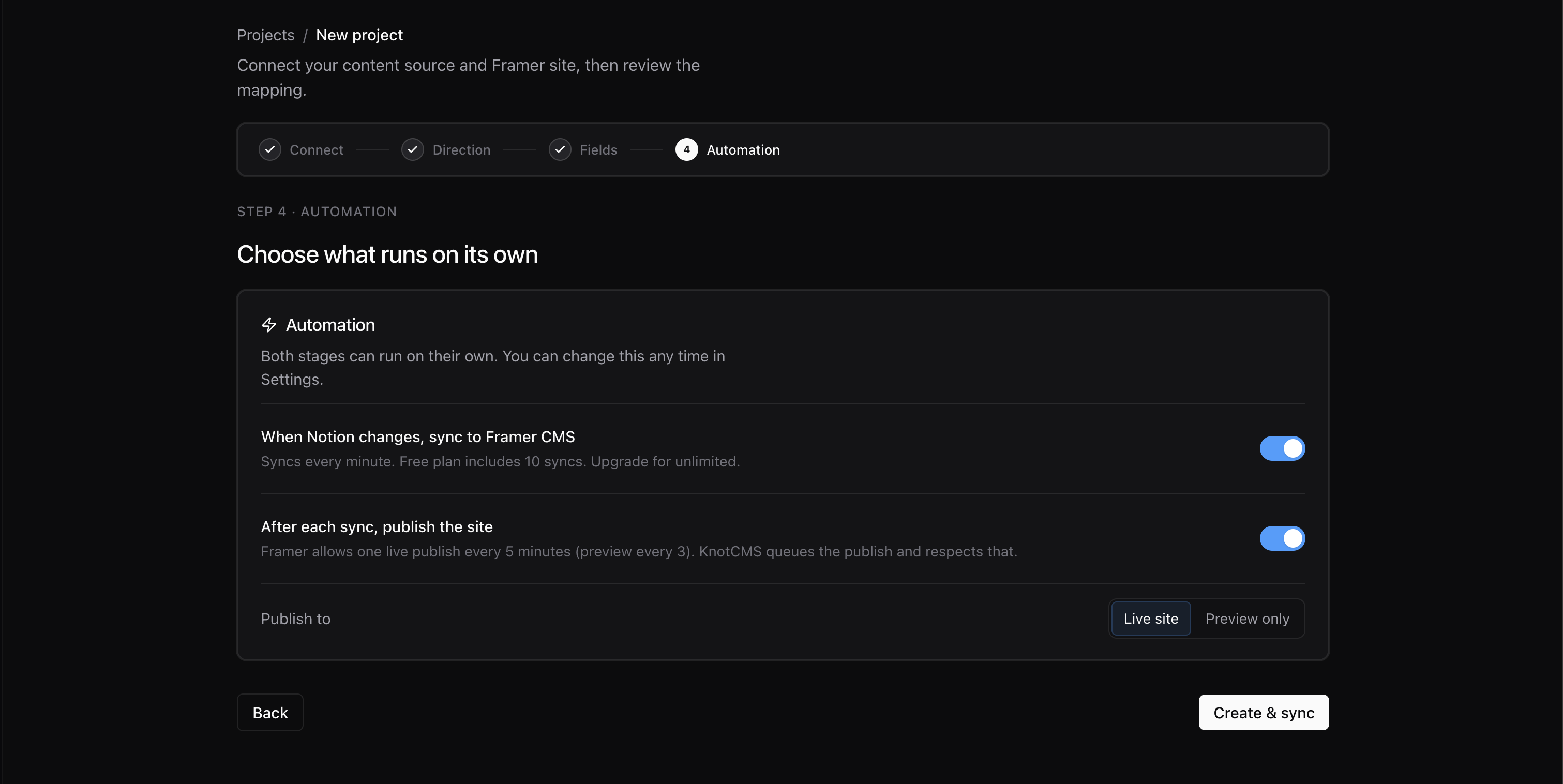
Choose a target using the side-by-side switch:
- Live site — pushes CMS changes to your published Framer site
- Preview only — publishes a preview without deploying live
When you turn auto-publish on from the project page, KnotCMS runs a sync immediately so your site can publish without waiting for the next Notion edit.
After a sync
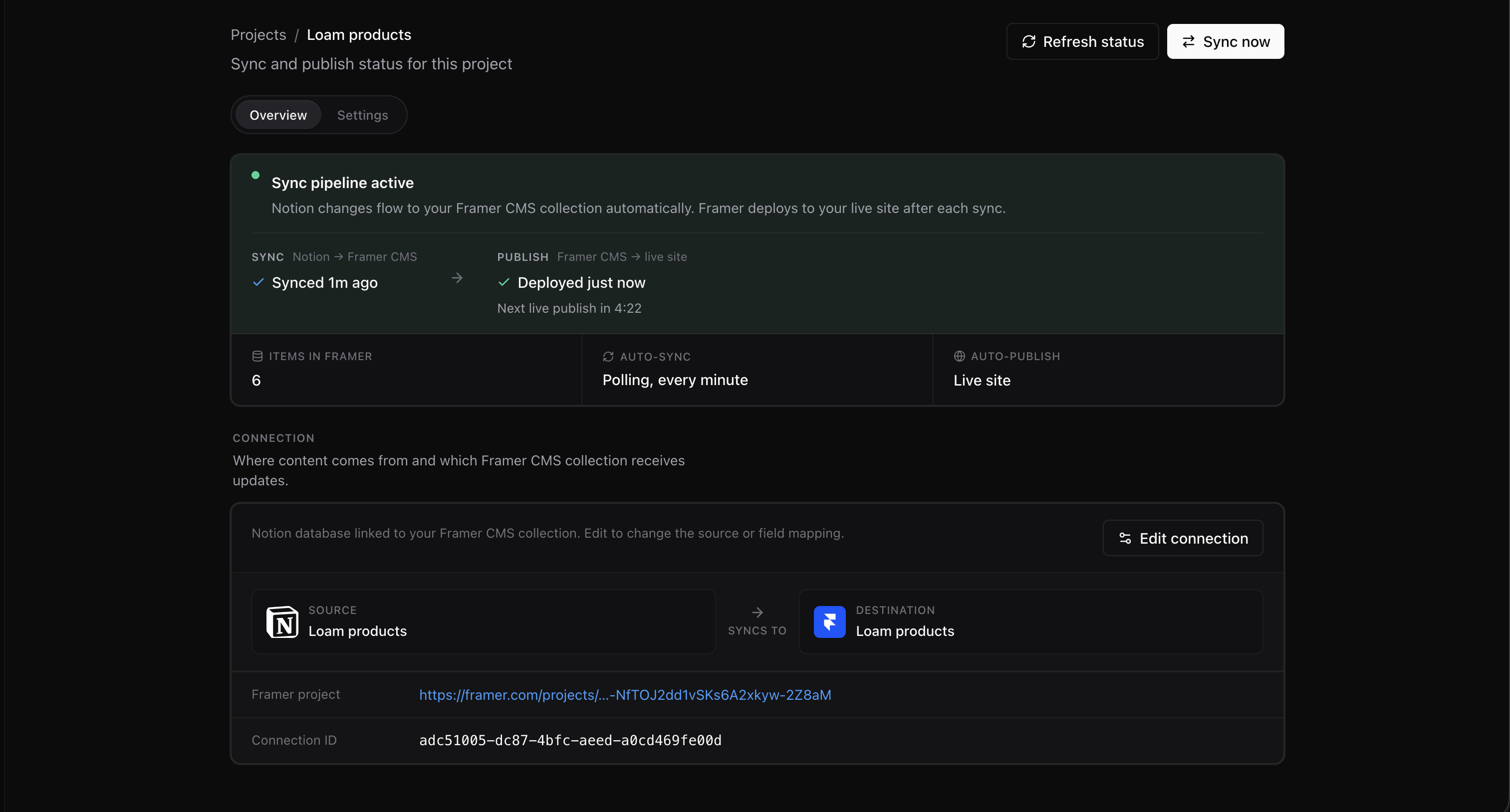
Section titled “After a sync”The Publish stage on the project’s Overview tab reports what happened — for example Deployed 1m ago.
Publish cooldown
Section titled “Publish cooldown”Framer limits how often a site can be published, so KnotCMS leaves a gap between publishes:
| Publish mode | Gap between publishes |
|---|---|
| Deploy to live site | 5 minutes |
| Preview only | 3 minutes |
A sync that finishes inside that gap still updates Framer CMS — only the publish waits. The Overview tab shows the time remaining beneath the Publish stage, reading like Next live publish in 4:00, and the publish runs on its own when the timer is up. There is nothing to click.
When a publish fails
Section titled “When a publish fails”Your content is already in Framer CMS by this point. What failed is the step that pushes it to the live site, so nothing is lost — the site is just still showing the previous version.
The project page shows Publish failed with the reason underneath. What to do depends on what it says.
Framer stopped while publishing or optimising the site
Section titled “Framer stopped while publishing or optimising the site”Framer accepted the publish and then could not finish building the site. The message names the stage and the first issues Framer reported, for example:
Framer stopped while optimising the site: Missing font Inter; Broken link in Footer
Fix those in Framer — they are problems with the site itself, not with the sync. KnotCMS does not keep retrying, because the same content produces the same result. Your next sync publishes again once you have made a change.
Publishing is currently unavailable
Section titled “Publishing is currently unavailable”This is Framer refusing the request. The usual cause is that the site has been published too often in a short window, and it clears on its own.
If it keeps happening, open the project in Framer and press Publish there. If Framer refuses you too, the problem is on the site or the Framer account and nothing in KnotCMS will get past it. If it publishes fine by hand, contact support with your project URL.