
Framer Server API key
KnotCMS uses the Framer Server API to list CMS collections, sync items, and optionally publish your site.
Wizard order
Section titled “Wizard order”Enter your Framer credentials alongside Notion on step 1 · Connect. The wizard then runs Direction → Fields → Automation. See Create your first project for the full walkthrough.
Create an API key in Framer
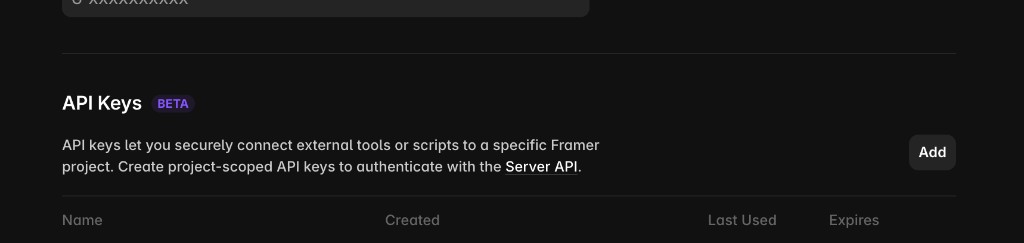
Section titled “Create an API key in Framer”- Open your project in Framer.
- Go to Site settings → API Keys (Beta).
- Click Add to create a project-scoped key for the Server API.
- Copy the key — Framer may only show the full value once when you create it.
Enter it in KnotCMS
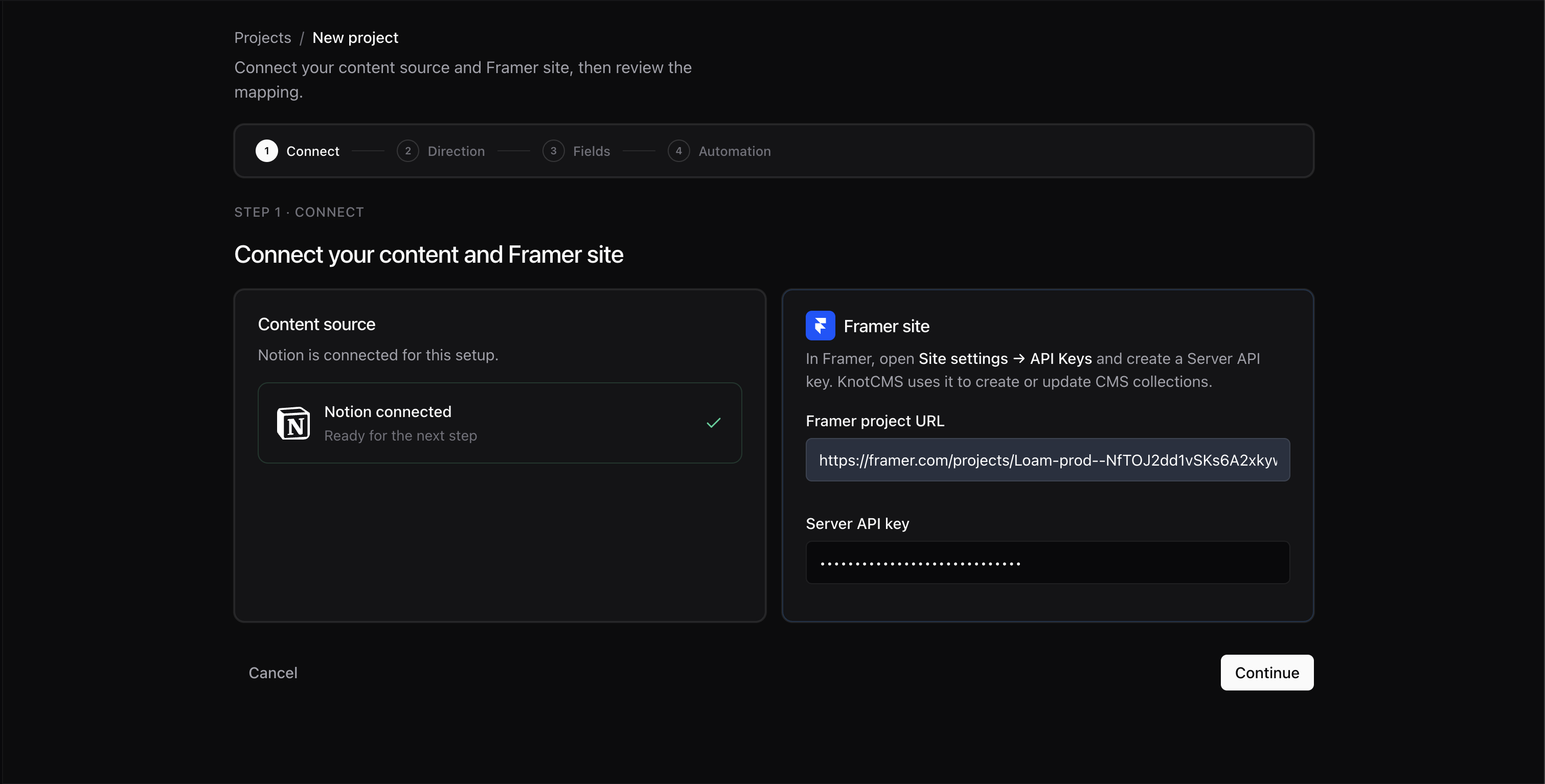
Section titled “Enter it in KnotCMS”On Step 1 · Connect in the setup wizard, in the Framer card beside the Notion one:
- Paste your Framer project URL from the browser address bar while the project is open in the Framer editor. Use the project URL, not your published website address.
- Paste the Server API key.
- Make sure the Notion card says Notion connected, then click Continue. The button shows Verifying… while KnotCMS checks your Framer credentials, then opens Direction if they are valid.
Security
Section titled “Security”Your API key is encrypted at rest in KnotCMS. Never share it publicly or commit it to git.